
Events
Every event, with RSVPs and reminders.
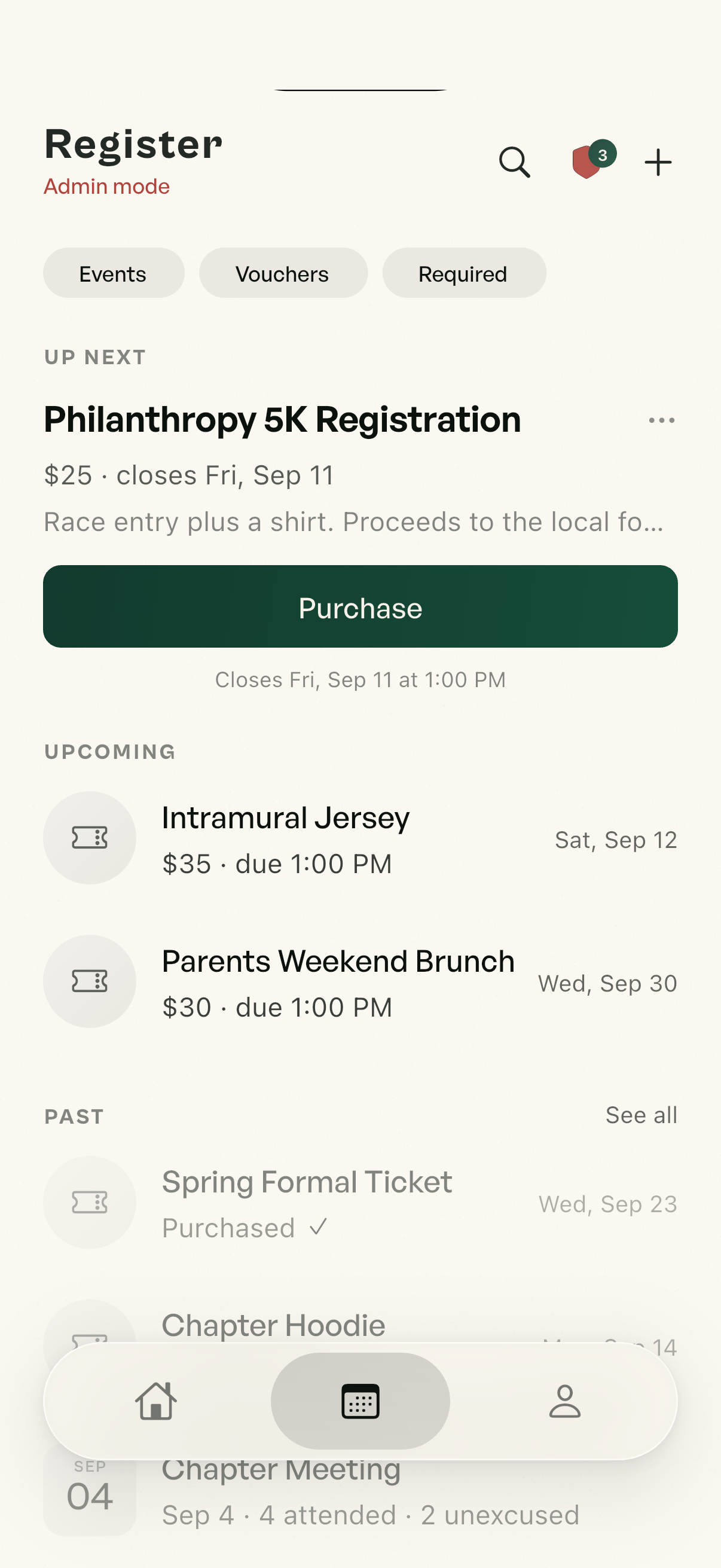
RSVP from the card in the chat. Reminders go out an hour before. Mandatory events land on the attendance record.
To your members it’s a group chat. To exec it’s the whole operation: roster, attendance, dues, events and security, in one app.
Launching spring 2027 on iOS and Android. Colonies at three schools this year.

The average member opens it to text the house. Exec opens the same app and runs the chapter from it.
Group chats with nicknames, reactions, pinned messages, swipe-to-reply, and event and album cards.
Attendance, dues, the roster and the excuse queue, one tap away.
Three security levels and screenshot accountability.

Polls, event cards and vouchers live in the thread. Committees, the rush team and the pledge class each get their own chat, gated by position, with the security level right in the header.

Broadcast feeds for officers, discussion feeds for everyone, boards for the in-between. Each feed has its own audience and its own list of who can post.
RSVP from the card in the chat. Reminders go out an hour before. Mandatory events land on the attendance record.
Post a $600 dues voucher or a $40 formal fee with a deadline. Members pay in-app, the money lands in the chapter's own account through Stripe, and one screen shows who's paid, on a plan, or owes.

Shared albums by event, dropped into any chat or feed as a card. Members only, and a copied link is dead outside the app.

Mixers, philanthropy partnerships, Greek Week and IFC coordination, in one chat that both chapters moderate. Messages show the sender’s name and chapter. If a chapter pulls out, its members leave with it.
An officer starts a chat and invites other fraternities or sororities at your school.
Their exec gets an invite card and accepts or declines.
Each chapter chooses which of its own members join, so you bring the social chairs and not the whole house.
Every chat, feed and album has a security level, and the chapter picks it. In a protected chat, when someone screenshots, everyone in it sees a notice and admins get a copy of what was actually on screen. Straight up: no app can stop a camera. This one makes sure it never happens quietly.
Members join with a code from your own roster, and a copied link is dead outside the app.
Flagged in the thread. When someone screenshots a protected chat, everyone in it sees a notice, right where it happened.
Admins get the capture. A copy of what was actually on screen lands in the security log. It ends the “wasn’t me” conversation.
Stamped with the viewer’s name. At Medium and above, every message carries the name of whoever is looking at it.
Admin Mode. Officers flip one switch and home becomes a moderation view: security log, attendance and the excuse queue one tap away. It turns itself off the moment someone loses admin powers.

A normal chat.
Screenshots go on record.
Nothing leaves the room.
Set it per conversation, so the judicial chat is locked down while the intramurals chat stays casual. Cross-chapter chats have a level too.
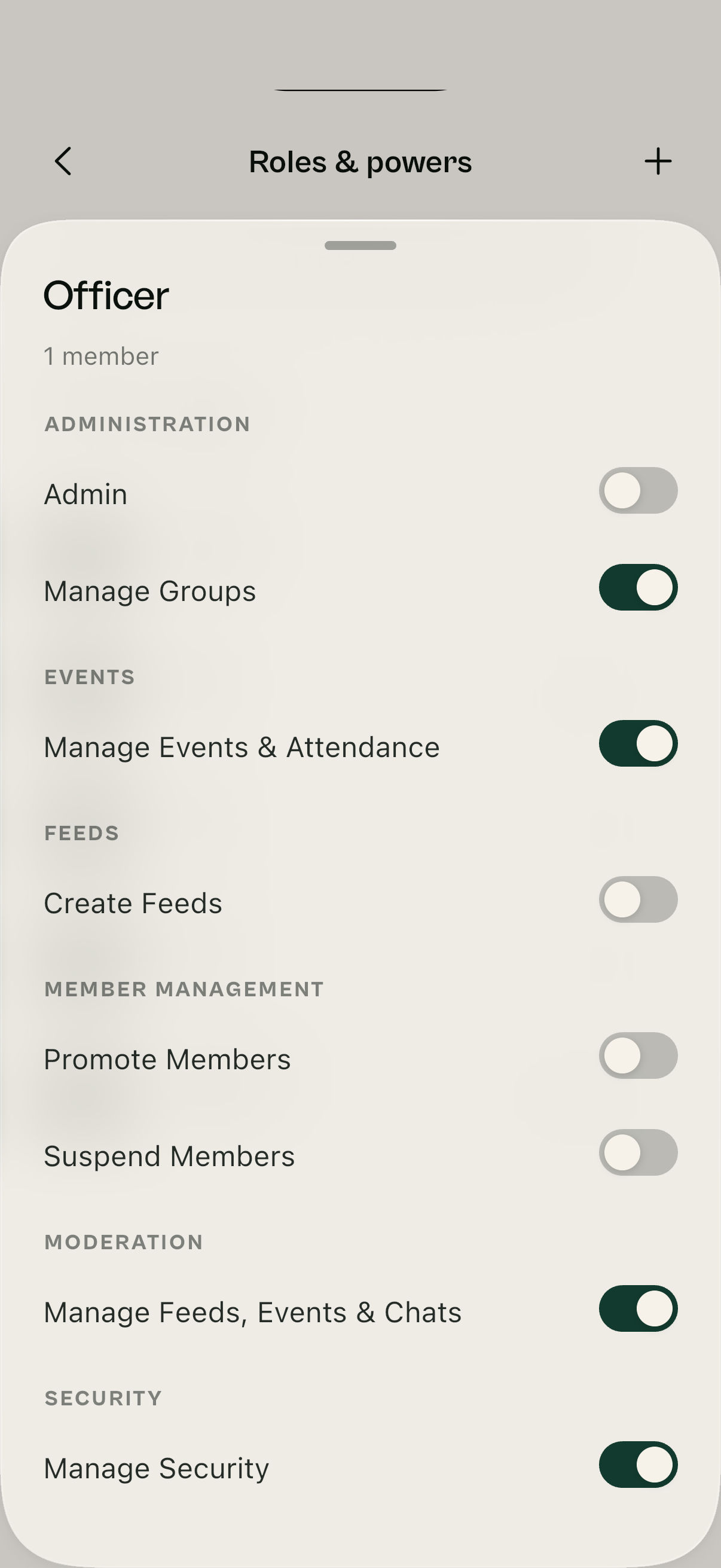
Everyone is listed with their actual position, and higher positions inherit every power the ones below them have. Eight powers, dragged onto a position: promote members, run events, manage content, see the security log. The Social Chair runs events without touching the roster.
A suspended brother keeps his position and history but can’t post or message until it’s lifted. The reason, the date and who did it are logged.
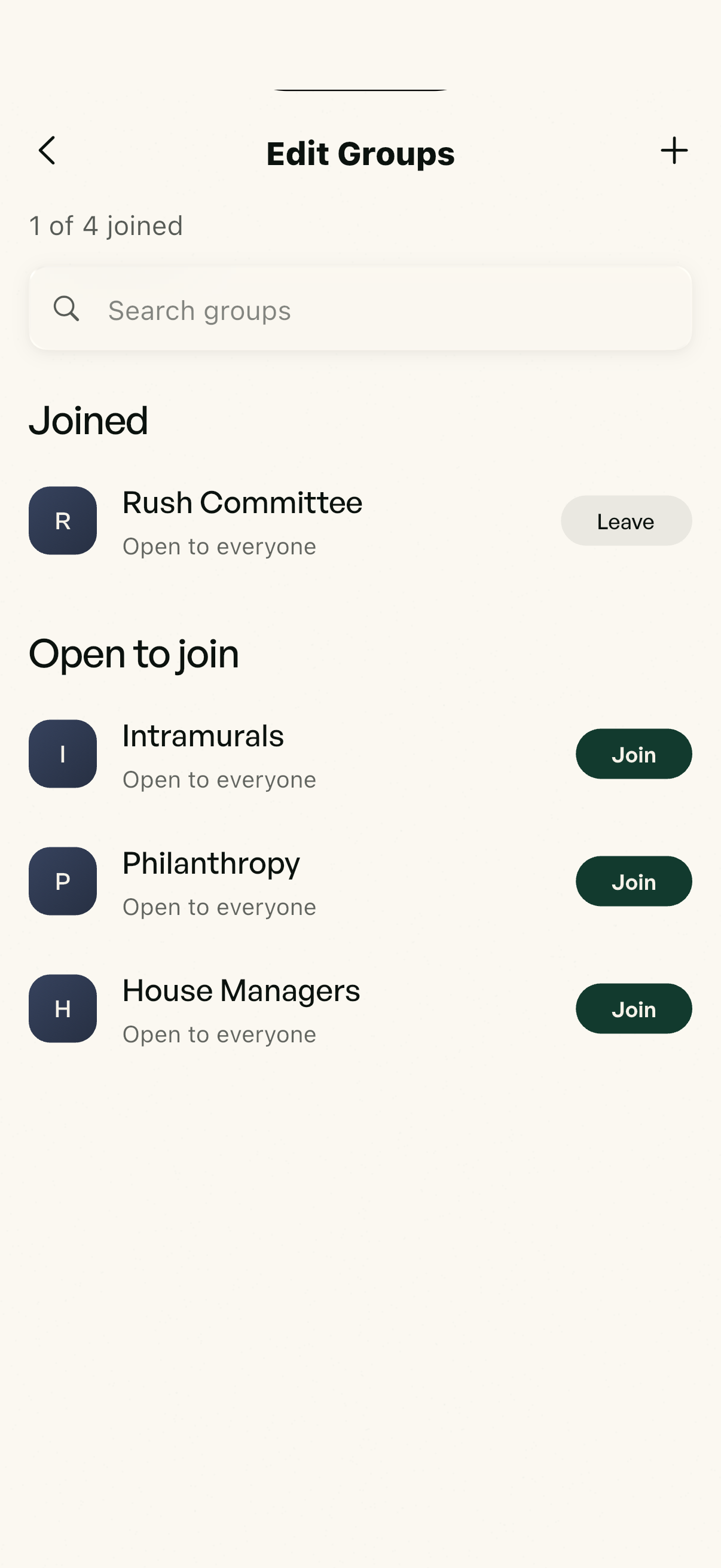
Social Committee, Rush Team, Intramurals, Pledge Class Fall ’26. Members join and leave themselves, some groups lock to a single position, and a guy who changes roles is pulled out of groups he no longer qualifies for. Filter the roster by group when you need to know who’s on what.
Reach exactly who you mean. Tag @Pledges, @ExecBoard or @SocialCommittee and the whole group is pinged at once.
Aimed at a position. Announcements, feeds and events can target specific positions, so a pledge-only event never shows up for actives at all.
Turnover is one code. Nobody rebuilds the roster, nobody re-adds forty people to a group chat, and nobody wonders who still has the treasurer’s permissions.
Pledges get the pledge code. New officers get the officer code. One code per position.
Whoever uses it is in the right position the second they sign up, with the right powers and groups.
A code gets around? Make a new one. The old one stops working.
Members check in from their phone at the event, and the app decides whether they were really there. Skipping a mandatory event means picking a reason and writing a note, which lands in a queue exec swipes to approve or deny.


Chapter Room launches spring 2027, and colony spots for that first semester are open now. We take a few chapters at a time and set each one up ourselves, so your roles, feeds and first event are live before spring recruitment starts.
Make my school a colonyBuilt by brothers who wanted their chapter run properly in one place. Tell us your chapter and we will have you set up for spring 2027.